Voxa: a shared design language
One product. A shared design language.
Voxa is an audiobook and ebook subscription product across web, iOS and Android. Its interface had grown faster than its component library: familiar patterns existed in different forms, and the pieces needed to build the next screen were often incomplete.
I owned the design of the system, working with a PM and engineering team. I started from the existing product, working out which patterns could share a foundation, where the platforms needed to differ and how to make the library useful in day-to-day work.
The same action had three different components
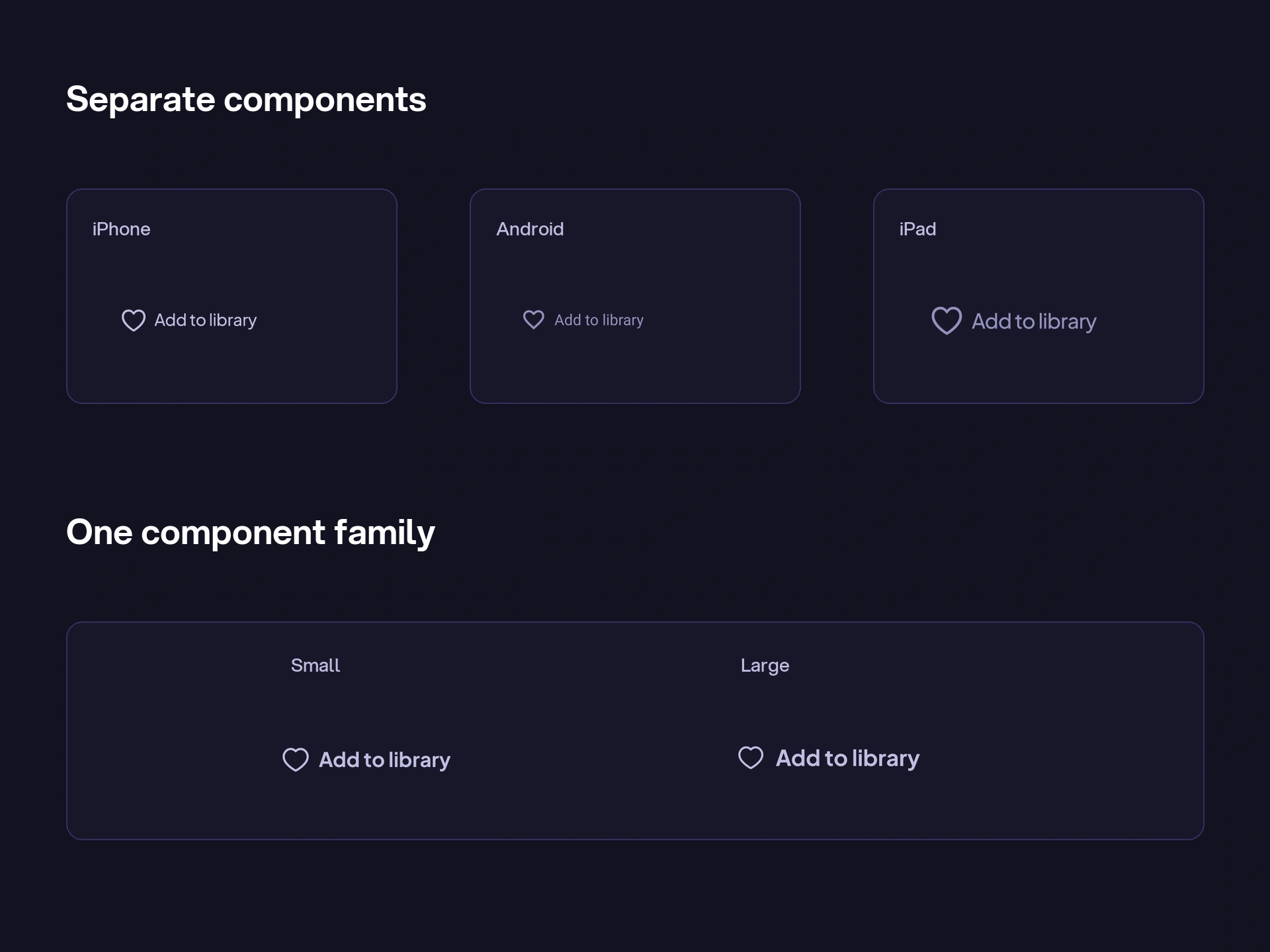
“Add to library” looked like a small action. In the existing files, it meant three separate components for iPhone, Android phone and iPad, with different typography and colour references—and further components for their states.
A small change meant finding and updating several separate components. It was easy for one version to drift from the others.
I brought these variations into component families, with size, hierarchy and state available as options.
The values needed a shared meaning
Before bringing larger patterns together, I established a shared vocabulary for colour, typography, spacing, radii and layout.
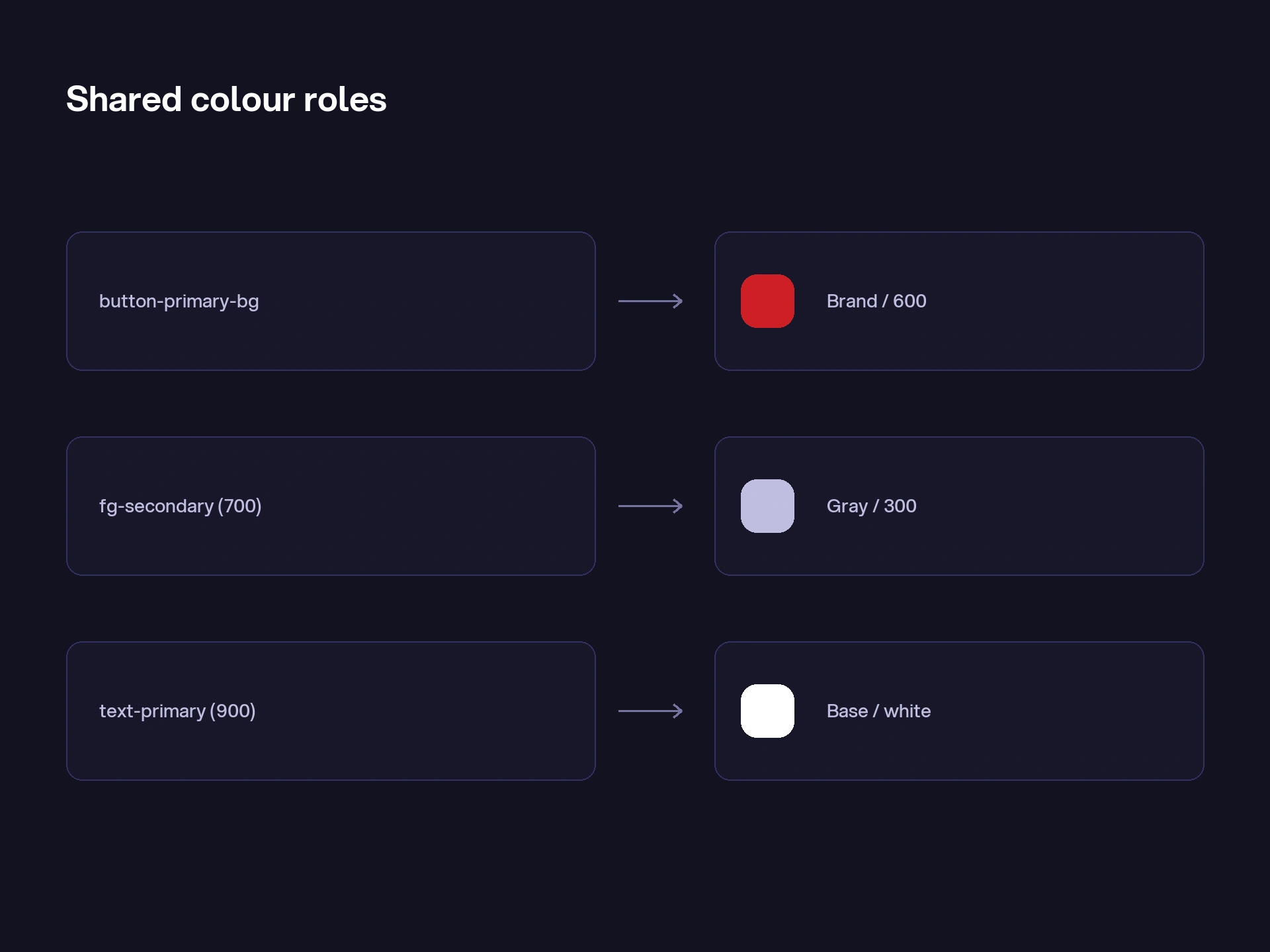
I organised colour in layers, from palette values to names that described their use. A primary button background could refer back to the brand palette through a shared role. That gave the colour a meaning beyond its value.
I took the same approach with spacing and corners, defining a scale so each new component didn’t introduce another slightly different value.
The default state was only the start
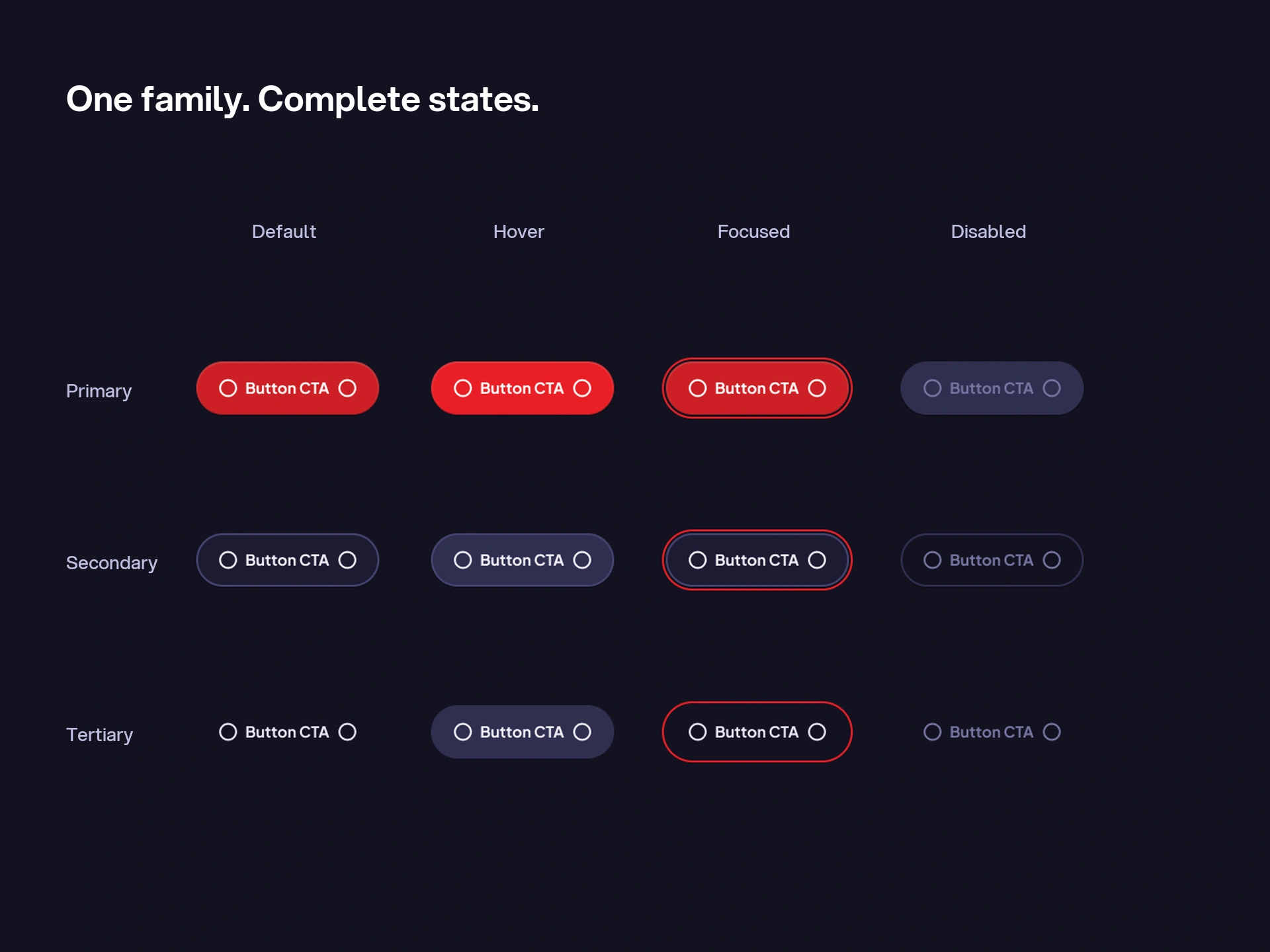
Bringing the buttons into one family was only the start. I worked through their sizes, hierarchy, icons and states, including hover, focus and disabled behaviour.
Inputs had more to account for: empty and filled states, focus, loading, errors, labels and supporting text. I worked those combinations into the components so they didn’t need to be figured out again on each screen.
This made it possible to choose the right variation from one component, with its states already worked through.
Some differences belonged to the platform
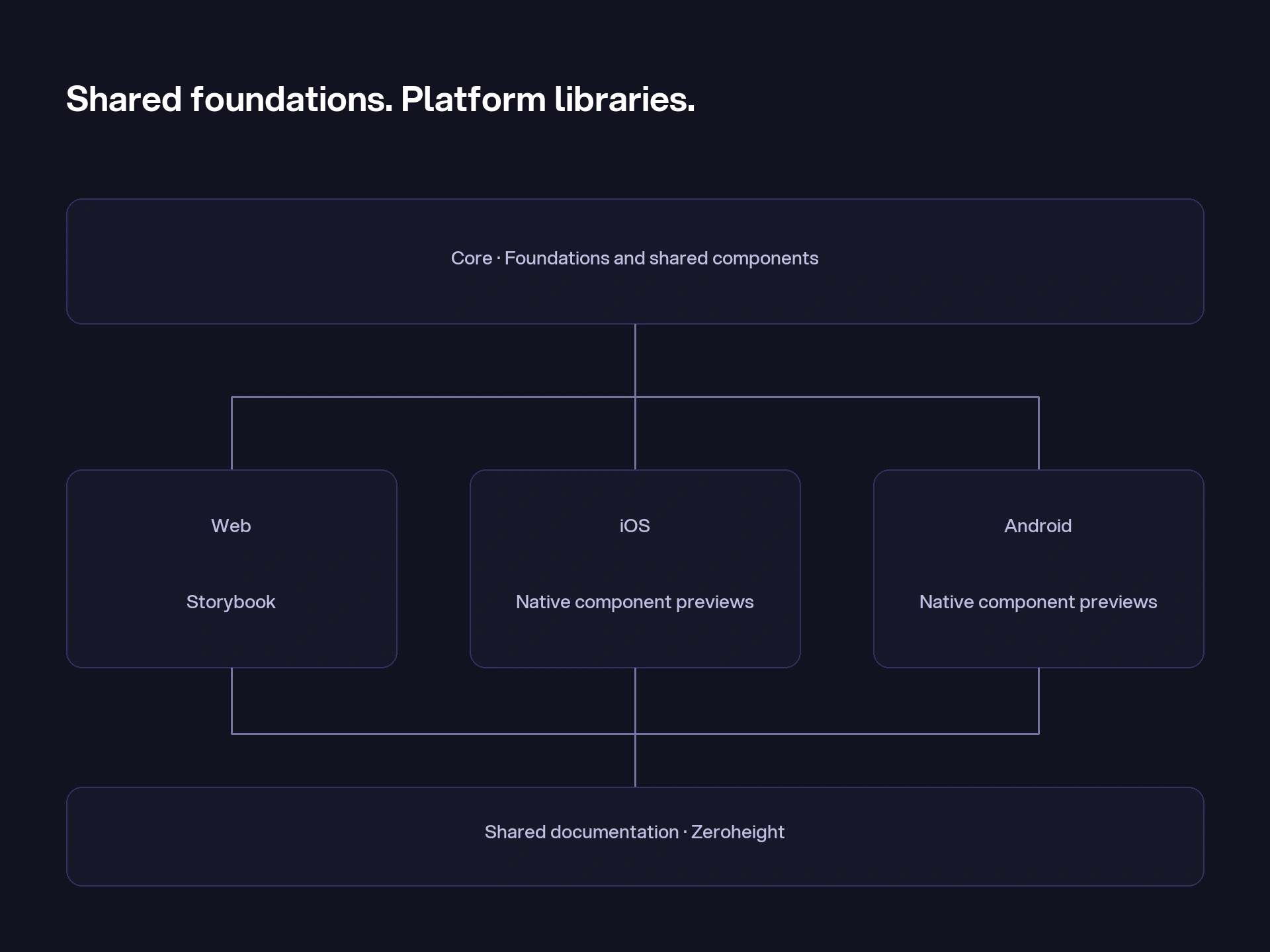
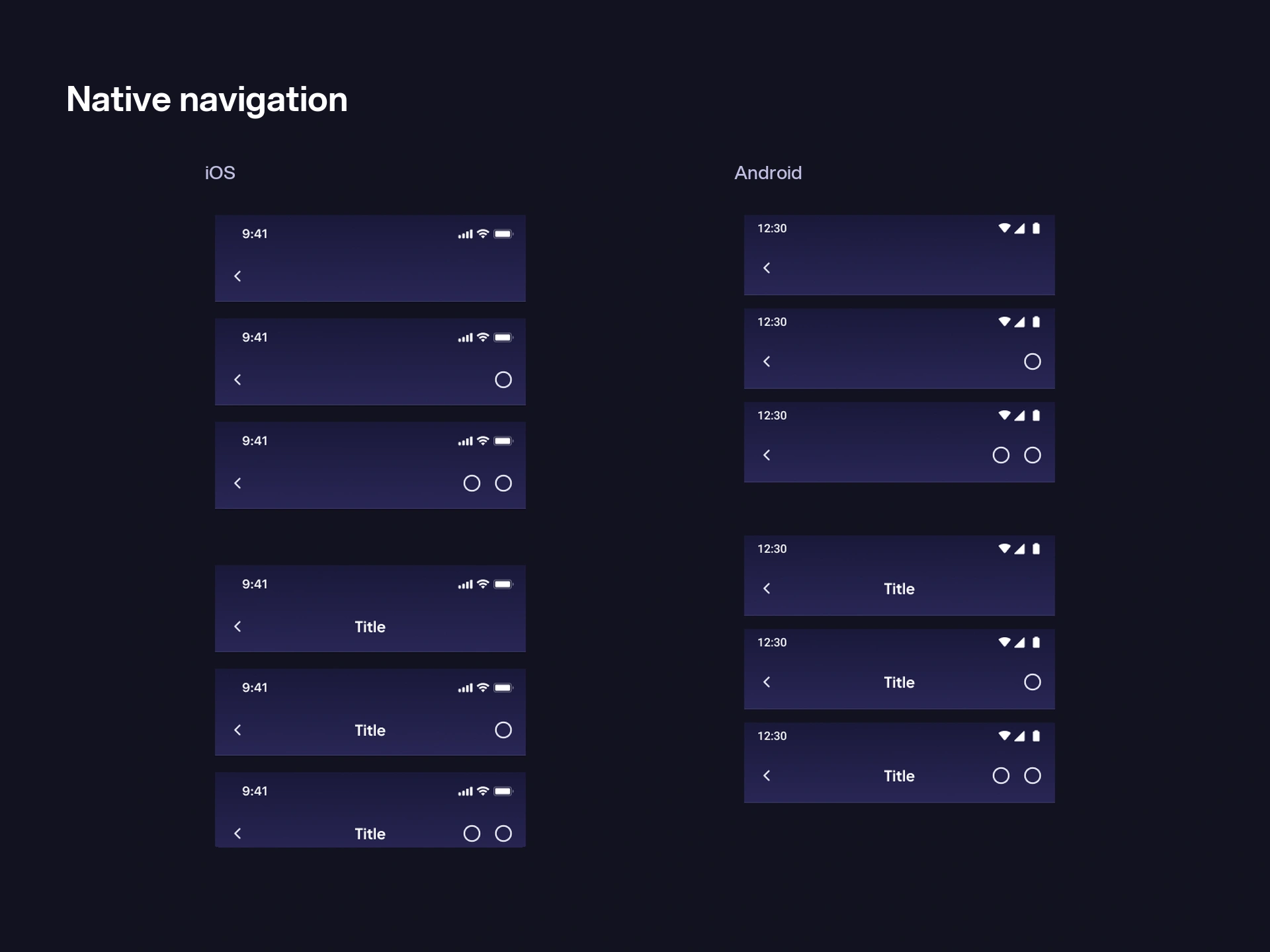
The library architecture gave each decision a home. Core held shared foundations and common components. Web held responsive navigation, content sections and application patterns. Native held the elements specific to iOS and Android.
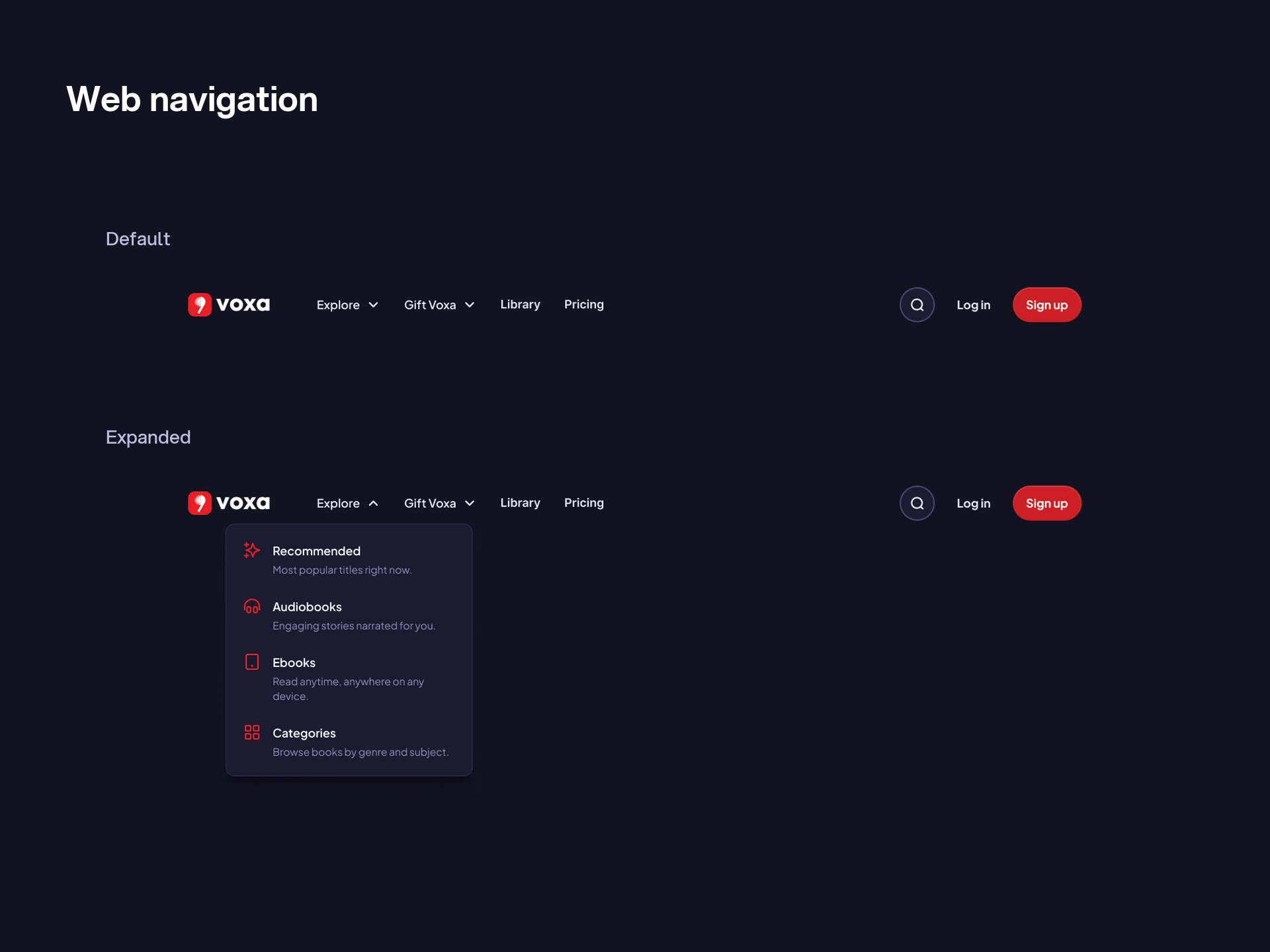
That distinction mattered at the edges of a screen. The native library defined separate iOS and Android status bars, navigation and modal sheets. On the web, navigation and modals exposed desktop and mobile variants.
I kept the shared visual language while making room for the navigation and controls people expected on each platform.
The screens put the library to work
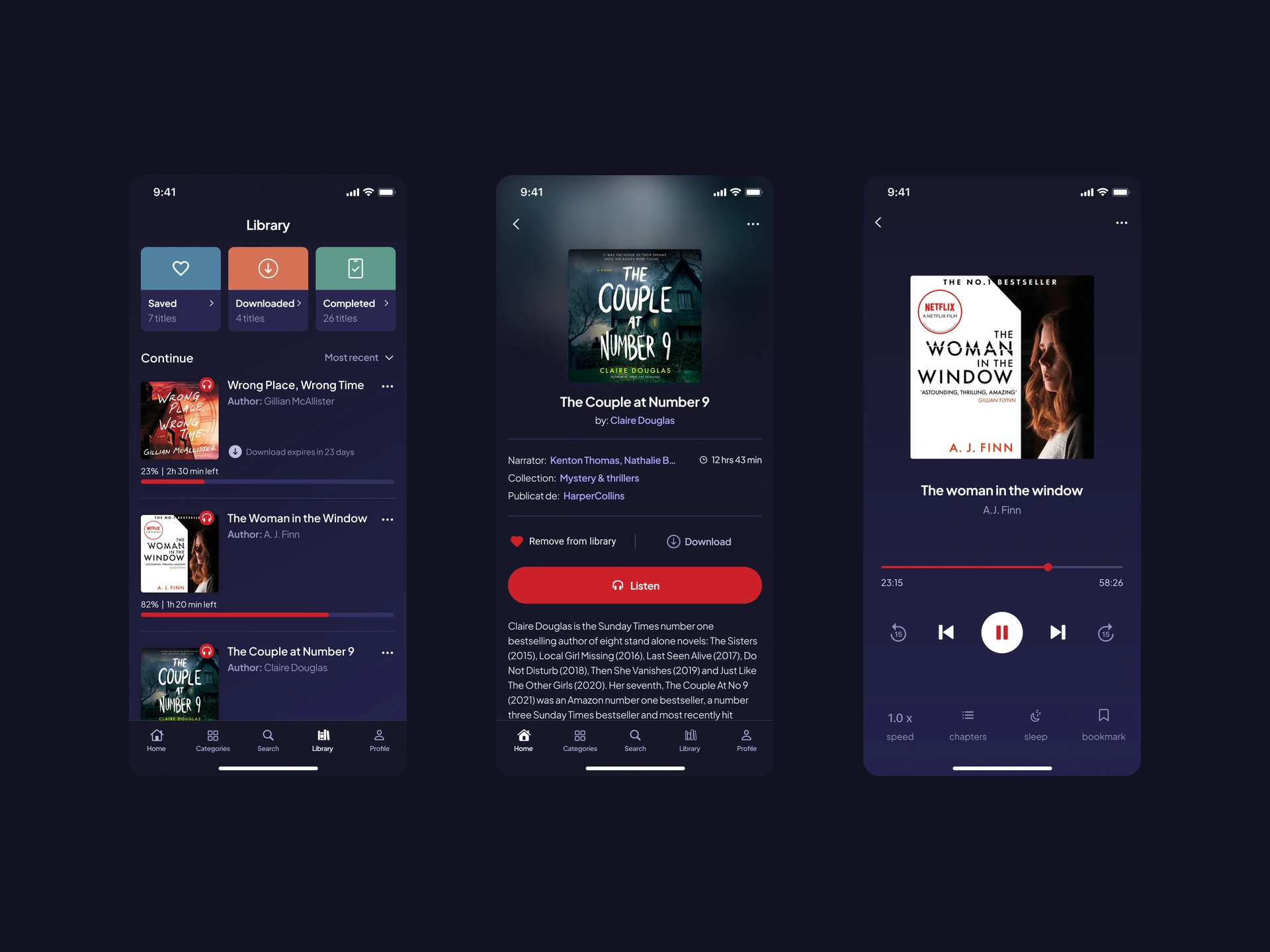
I used library, book-detail and player screen studies to see how the components worked together. Long titles, metadata, navigation and playback controls put the system through more useful checks than an isolated component grid.
The screen studies also gave the team examples to refer to when designing the next part of the product.
The files needed a starting point too
I also documented the library architecture and proposed a clearer way to organise product work in Getting Started.
The proposed feature-file structure separated research, dated design iterations, handoff, localisation and archive material. That gave the team a way to distinguish an exploration from a design prepared for engineering.
The result was a shared set of foundations, components and screen examples for web, iOS and Android. Designers had a starting point for new screens, with common decisions already worked through.