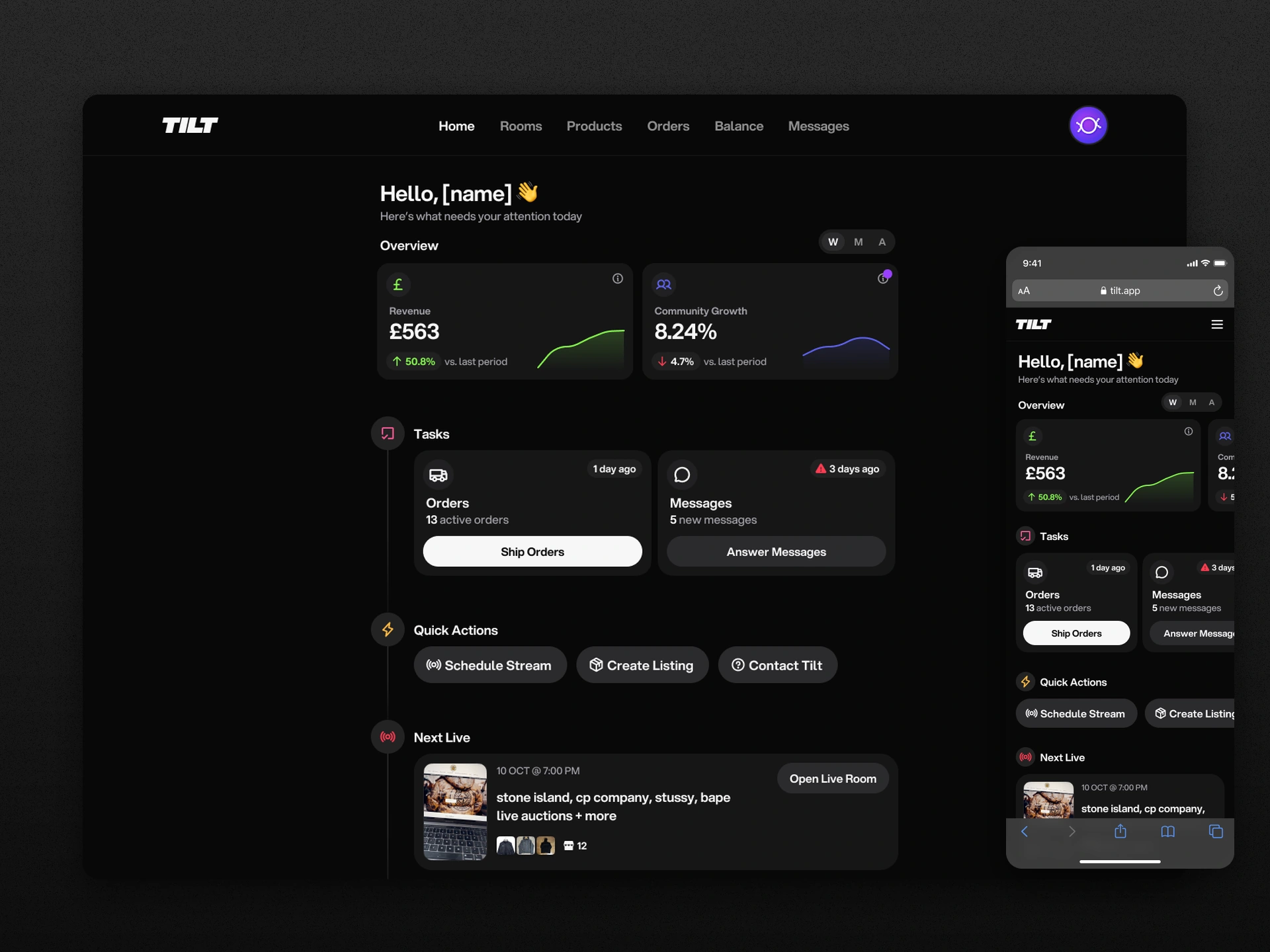
Seller home: store health at a glance
A useful place to start the selling day.
A seller’s day doesn’t end with the live show. There are orders to send, messages to answer and another show to prepare. I explored what the seller homepage could do to help them work out where to start.
I owned the design of two directions, working alongside a product owner and engineering team. One used metric cards; the other used a written performance summary. Both connected the overview to useful actions and gave new sellers a different starting point from established stores.
The overview had to lead somewhere
I started with a quick read of store performance: revenue, community growth and a short comparison with the previous period. Then I put the work underneath it—orders, messages, the next show and shortcuts to create a listing or schedule a stream.
The aim was to help sellers check how the store was doing and get on with the next task.
A new store had a different job to do
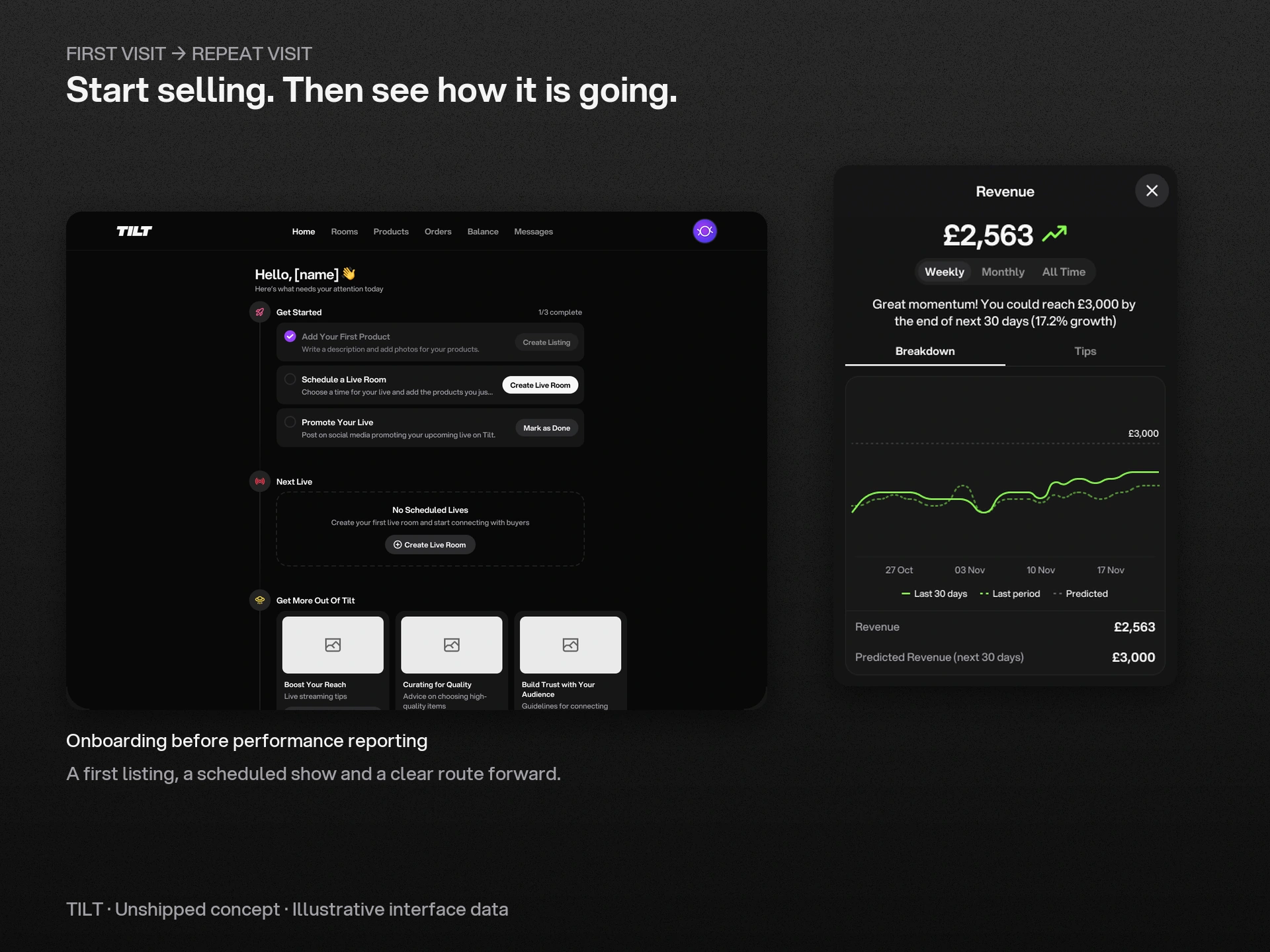
That arrangement made less sense for someone who had just joined. A new store had no useful history to compare, so I gave its first visit a different job: help the seller add a product, schedule a show and promote it. Time filters appeared once there was enough data to use them.
For established sellers, a metric card opens a deeper view with context, period comparisons and a breakdown. I designed separate states for positive and negative trends, and explored suggested goals and tips alongside the charts.
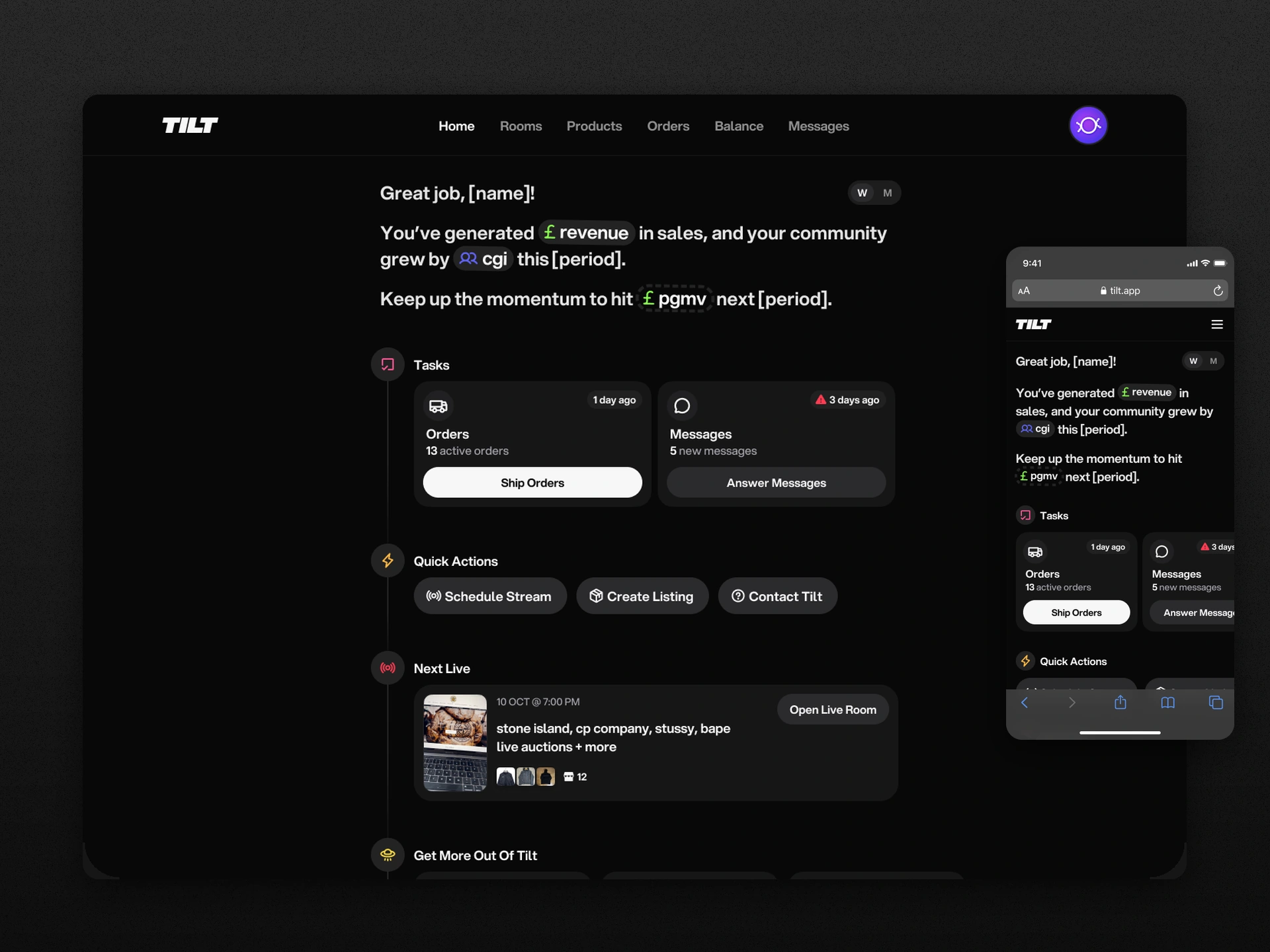
Explore a summary in words
I also tried a different question: could the homepage explain what had happened in a sentence? I replaced the metric cards with a short written summary of sales, community growth and a next goal.
Weekly and monthly controls stayed close to the summary, while orders, messages and the next live show remained in the same page. The aim was the same as in the metric-led direction: connect a quick read of performance to a useful next step.
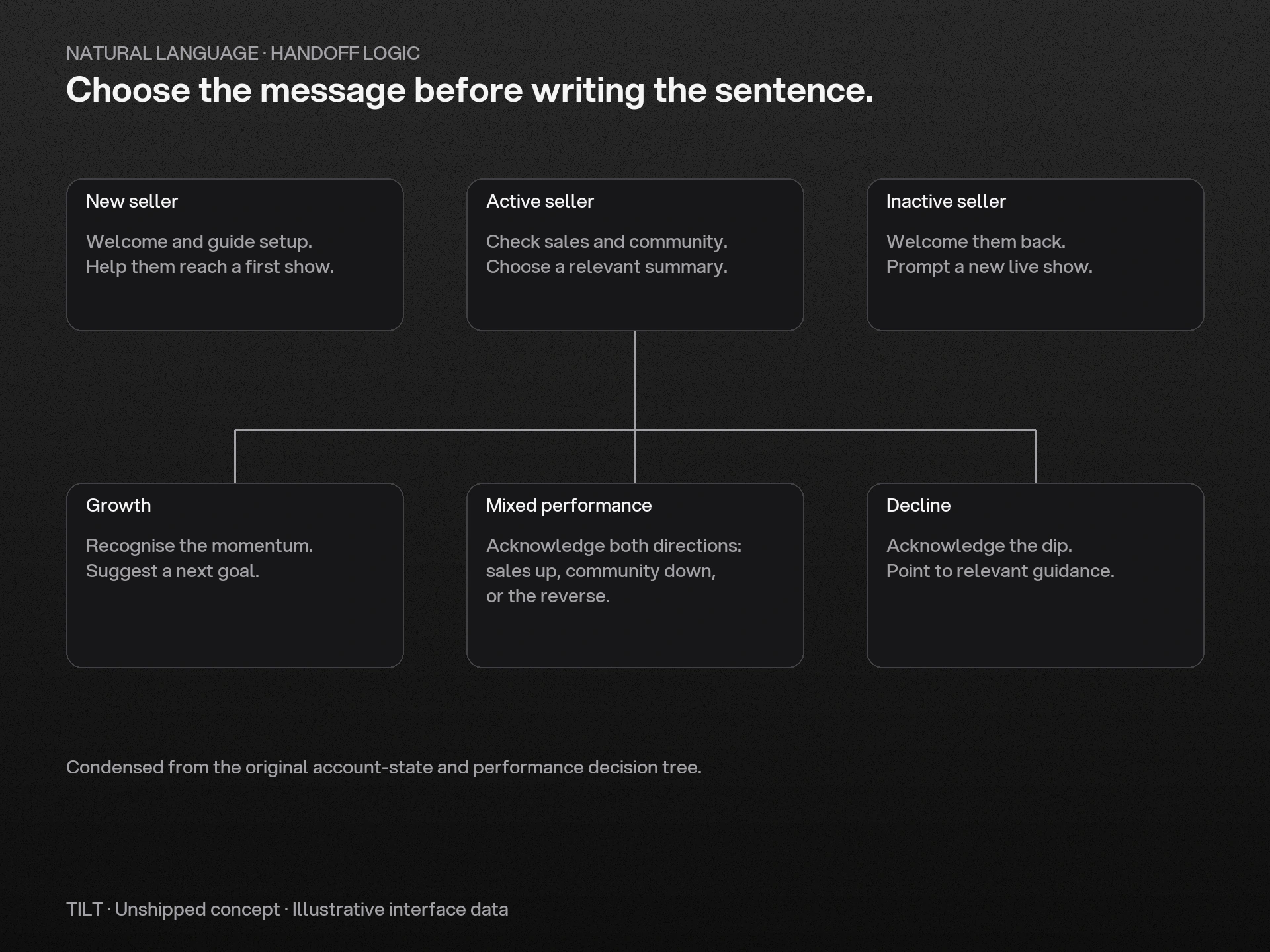
One sentence needed several versions
The sentence looked simple, but it had to work for very different stores. I mapped starting messages for new, active and inactive sellers, then worked through growth, decline and mixed performance. If sales were up while community growth was down, the summary needed to make sense of both.
I wrote the rules alongside the layouts so the summary would say something useful for each situation, including when there was little activity or no clear trend.
Design status
Both directions remained unshipped. They explored the same question in two ways: how could a seller open the homepage, understand what was happening and find a useful next step?